Agent setup
Set instructions, a model, tools, and skills once. Start sessions as needed.
Set up an agentAdd agents to your app. ZooWork runs them and saves session history.
Set instructions, a model, tools, and skills once. Start sessions as needed.
Set up an agentSearch the web, run code, and create files. Connect services with MCP or custom tools.
Agent toolsGet replies and tool updates as they happen. Resume with saved history.
Stream eventsInstall the SDK. Set ZOOWORK_API_KEY to your project key on your server, then list available models.
import { createZooworkClient } from '@zoowork-ai/sdk'

const client = createZooworkClient()
console.log(await client.listModels())Focus on the skills your agents need. ZooWork handles how they run and scale.
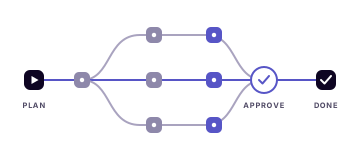
Plan and run work in steps, with guardrails and human review steps you define.
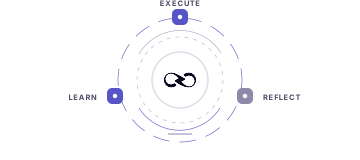
Use feedback and results from each run to improve agent skills.
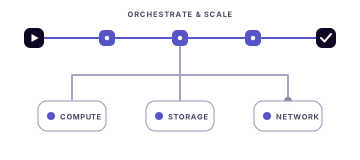
Scale compute, storage, networking, and task orchestration as workloads grow.
Add funds in USD. Projects in your organization share one balance.
Each model has separate rates per million input, cached input, and output tokens.
Model pricingGenerate images, video, and voice, or use search and data tools. Rates vary by task.
Tool pricingThe default sandbox (4 vCPU, 4 GiB) is billed by runtime.
Compute pricingPlatform and Agent Builder have separate balances. View usage
FDEs and developers can apply for cashback on eligible ZooWork API model costs.
30% simulated cashback on DeepSeek Flash Latest.
Final terms set who qualifies and how much they get.